Consider n8n when…
- You want to configure and inspect the workflow step by step.
- Hosting choice and control over automation logic are part of your decision.
Automation & assistants
n8n lets you build and inspect agent workflows, with cloud and self-hosted options. Relay starts from the work to hand over and the approved method behind it.
Choose n8n if
You want to configure and inspect the workflow step by step.
Choose Relay if
You repeat the same client or team deliverables each week or month.
At a glance
| What you’re deciding | Relay | n8n |
|---|---|---|
| How work starts | Describe the deliverable and use an approved playbook with your shared context. | Build workflows with agents, integrations, and inspectable steps. |
| Subscription and team access | Workspace plans: Pro $29, Team $199, Business $799 per month. Invited team members do not buy seats. | Published plans include unlimited users and workflows. Cloud tiers are based on workflow executions; self-hosted options are also available. |
| How usage is measured | Usage in $25 credit blocks, or your own provider keys where supported. Confirm the price before a paid run. | Monthly workflow executions, with unlimited steps per execution. Plan-specific AI features and limits still apply. |
| Human review | Use a named reviewer for work where judgment matters, and keep approvals with the work record. | n8n supports human review for AI tool calls, including pausing for approval through connected services. |
n8n already includes unlimited users in its published plans and supports human approval. Neither is presented as unique to Relay.
Current Relay pricing and plan details →Which fits you
How Relay handles a job
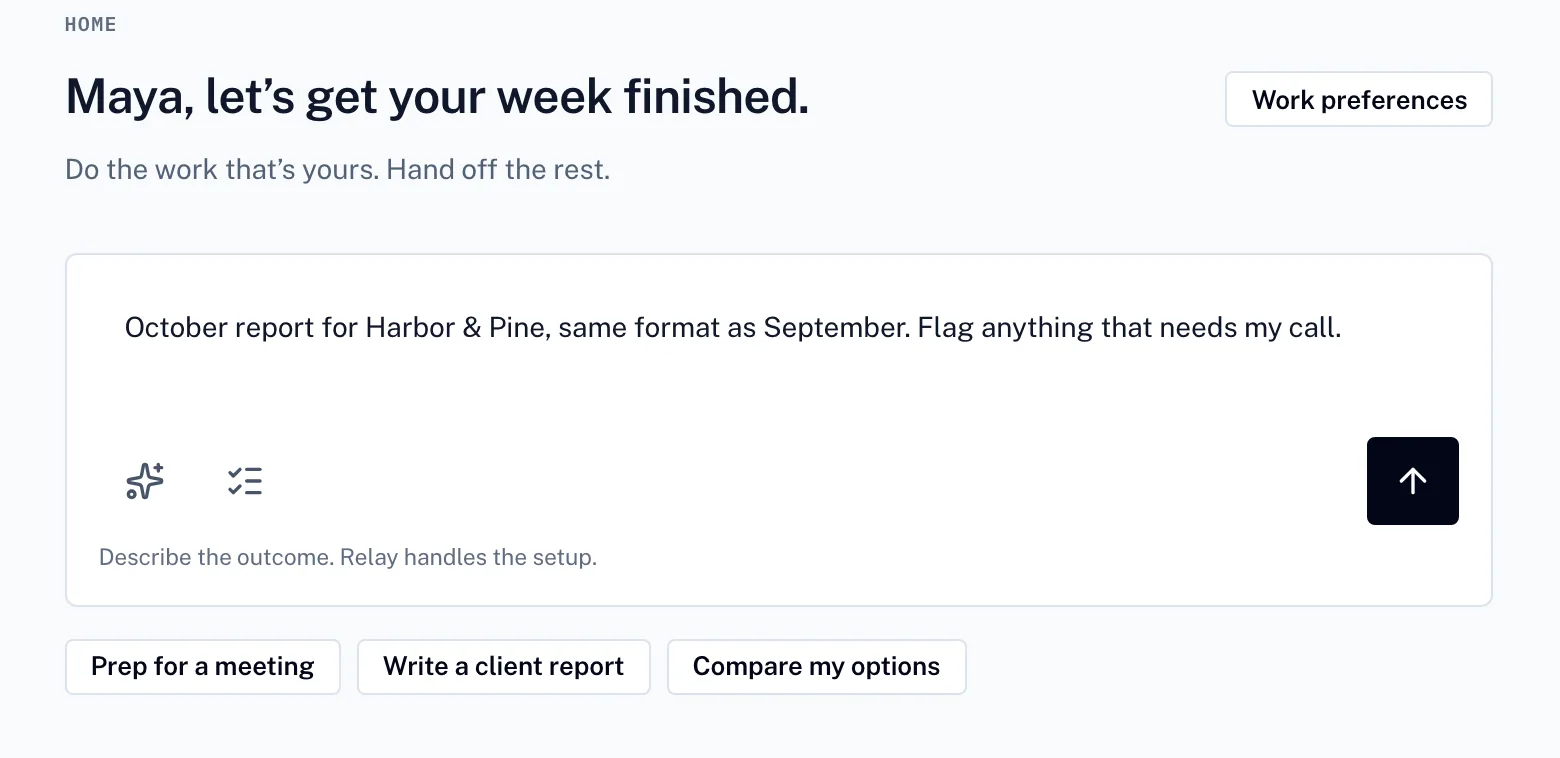
01
Say what you need. Relay turns it into a plan you can adjust before anything runs.
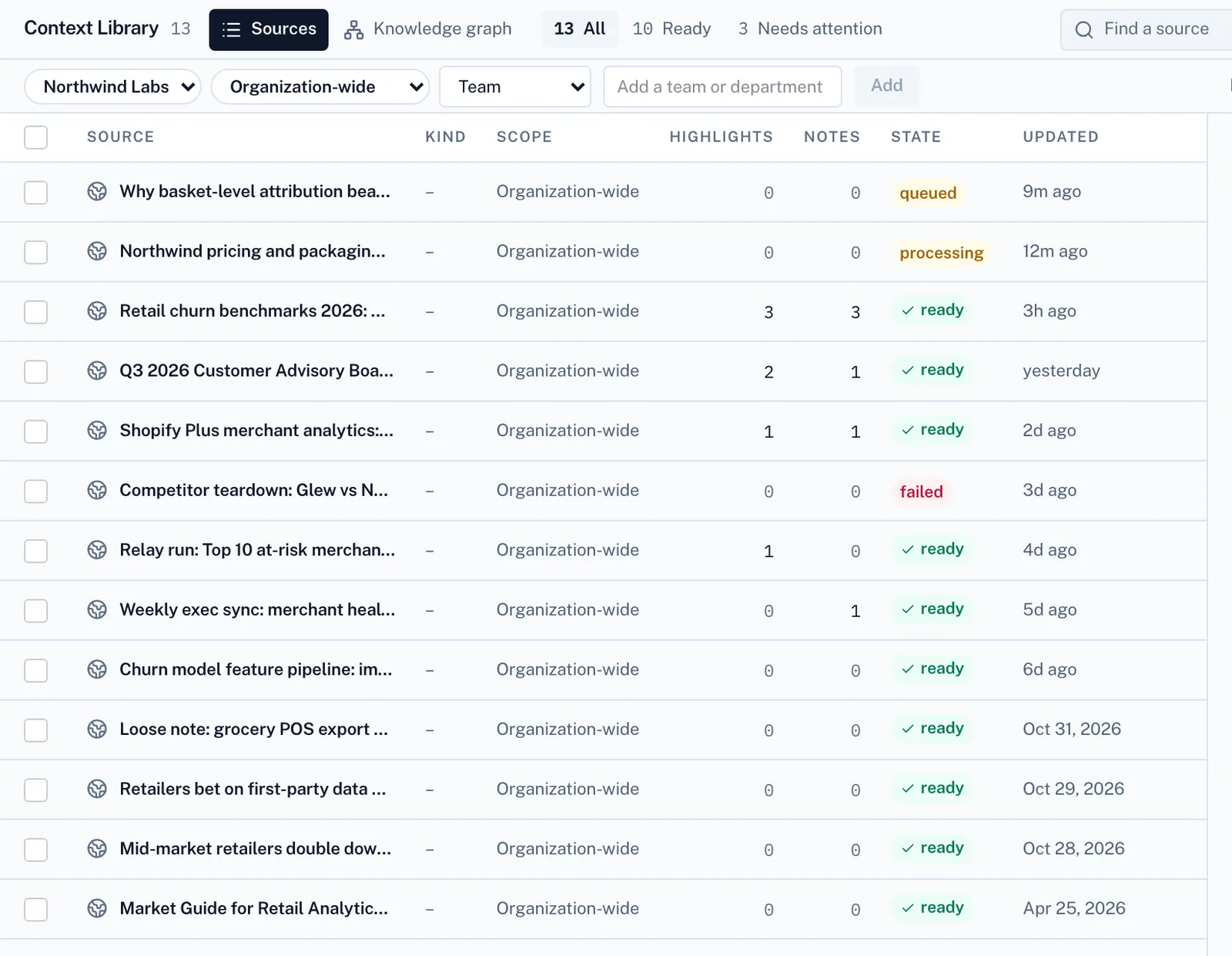
02
It works from your files and your team’s playbooks.
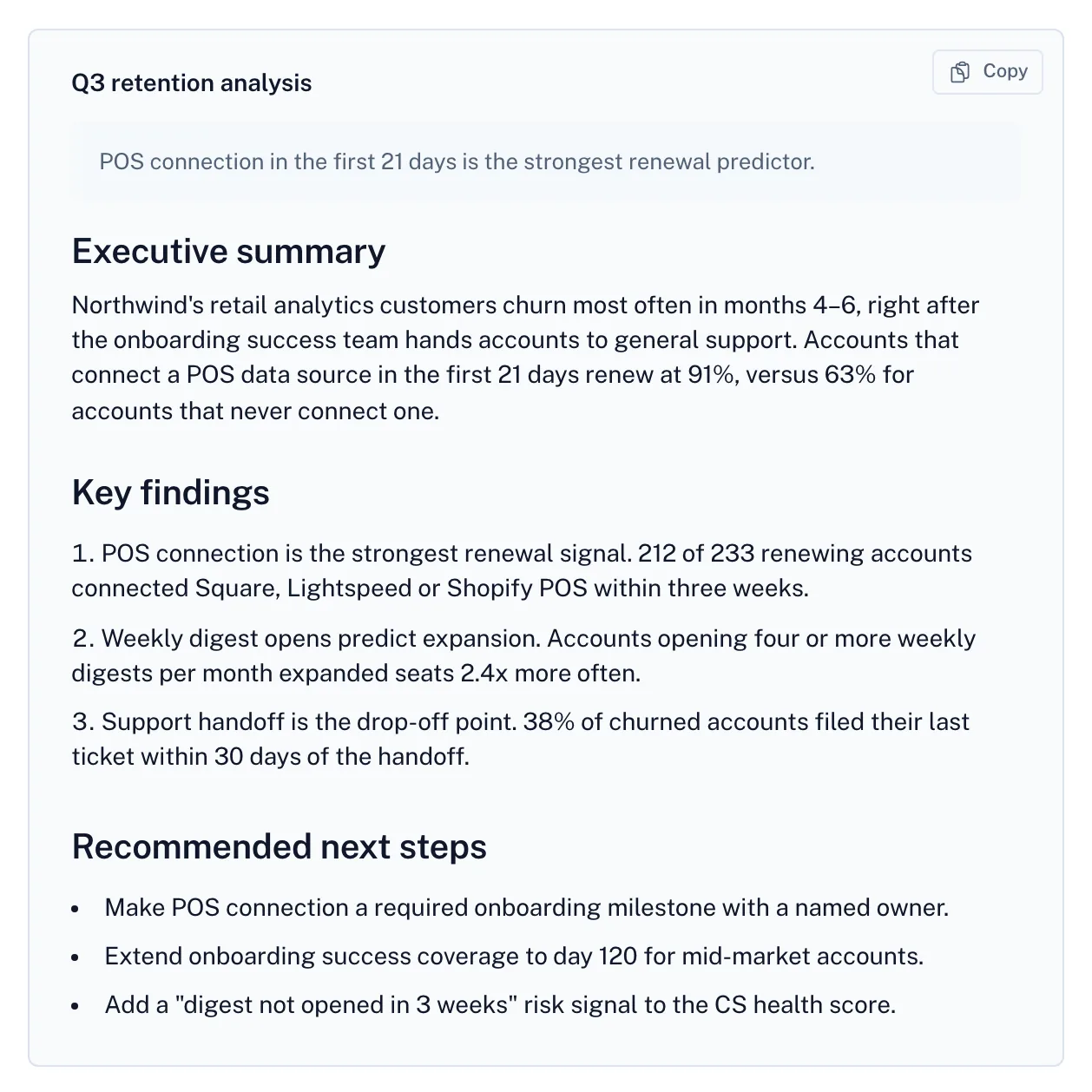
03
The result comes back with its sources, open questions and cost.
Screens from Relay with a fictional demo company.
A useful trial question
Try the same deliverable with the same inputs and reviewer in both products. Compare the result, the upkeep and the complete cost.
No. Each provider defines its own usage unit. Compare a complete job and the subscription, model, seat and platform costs that apply to it.
No. This compares public product and pricing information. Fit guidance is an editorial judgment, and your own representative trial is the useful next check.
No. Relay’s workspace subscription covers invited team members, with usage billed separately. See the pricing page for plan details.
Other comparisons
AI teammates and pooled team credits.
App automation and AI agents with separate usage meters.
Visual scenarios, connected applications, and AI automation.
Vendor descriptions are based on their own public pages. Pricing, availability and plan terms can change. Product names belong to their owners.
Create a free account to send your request. Paid work uses credits.