Consider Dust when…
- Your priority is a shared environment for company knowledge and custom agents.
- You want to assign different model-usage allowances to different people.
Shared company AI
Dust brings company knowledge, tools, and teams into a shared agent environment. Compare that with Relay’s focus on handing over a deliverable and keeping its receipt.
Choose Dust if
Your priority is a shared environment for company knowledge and custom agents.
Choose Relay if
You repeat the same client or team deliverables each week or month.
At a glance
| What you’re deciding | Relay | Dust |
|---|---|---|
| How work starts | Describe the deliverable and use an approved playbook with your shared context. | Create, share, and run agents over company knowledge and tools, including multi-agent workflows and triggers. |
| Subscription and team access | Workspace plans: Pro $29, Team $199, Business $799 per month. Invited team members do not buy seats. | Business uses Free, Pro, and Max seat types with different credit allocations; Enterprise offers custom terms. |
| How usage is measured | Usage in $25 credit blocks, or your own provider keys where supported. Confirm the price before a paid run. | Credits vary with the model, task complexity, and tool actions. Business allocations are per seat; Enterprise can pool workspace credits. |
| Sharing work across a team | Shared workspace context and reusable playbooks, with organization membership and access controls. | Team workspaces, connected company data, and shared agents. Seat types can be mixed within a workspace. |
Dust offers substantial collaboration and governance capabilities. This comparison does not treat those as absent.
Current Relay pricing and plan details →Which fits you
How Relay handles a job
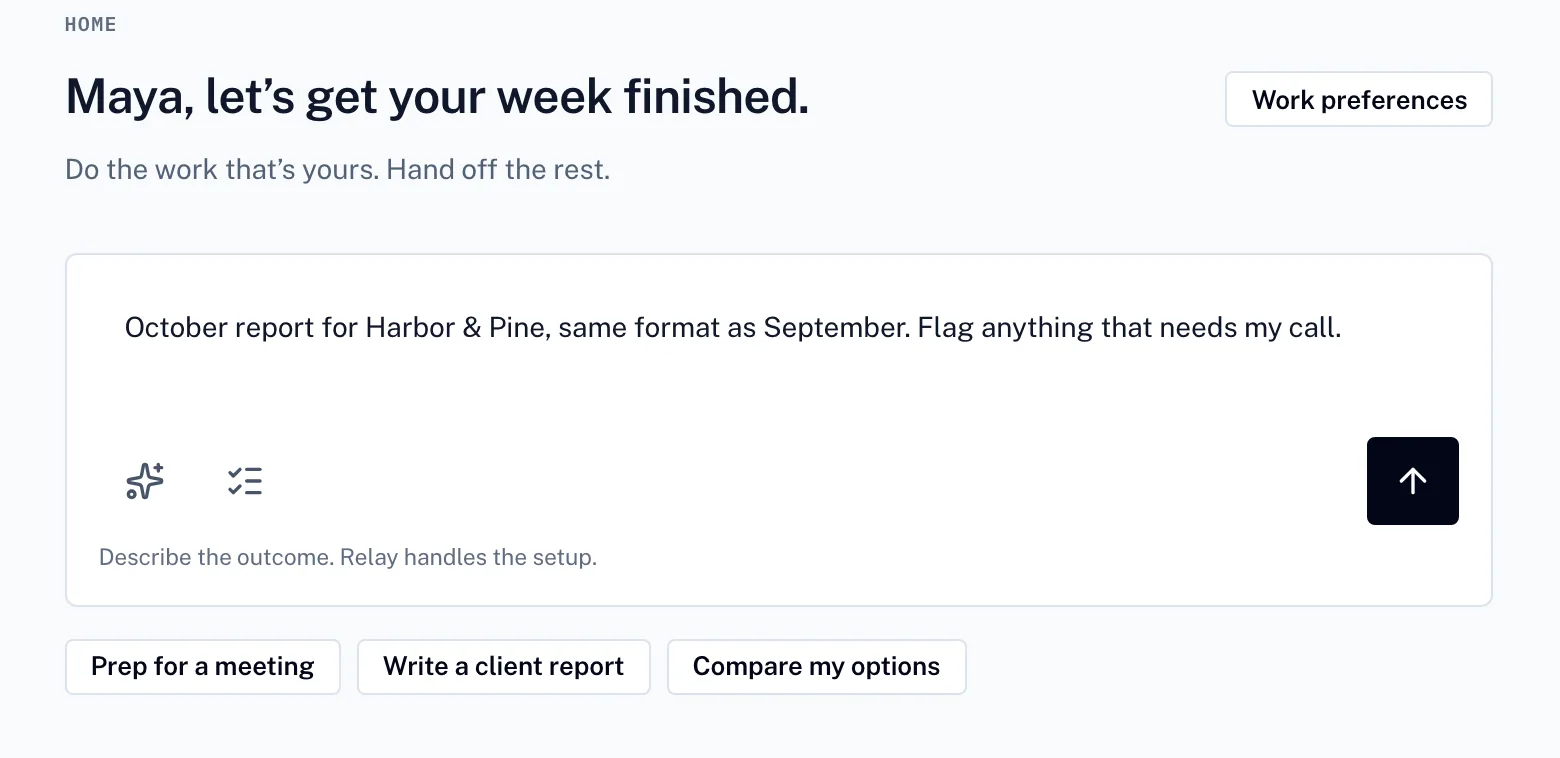
01
Say what you need. Relay turns it into a plan you can adjust before anything runs.
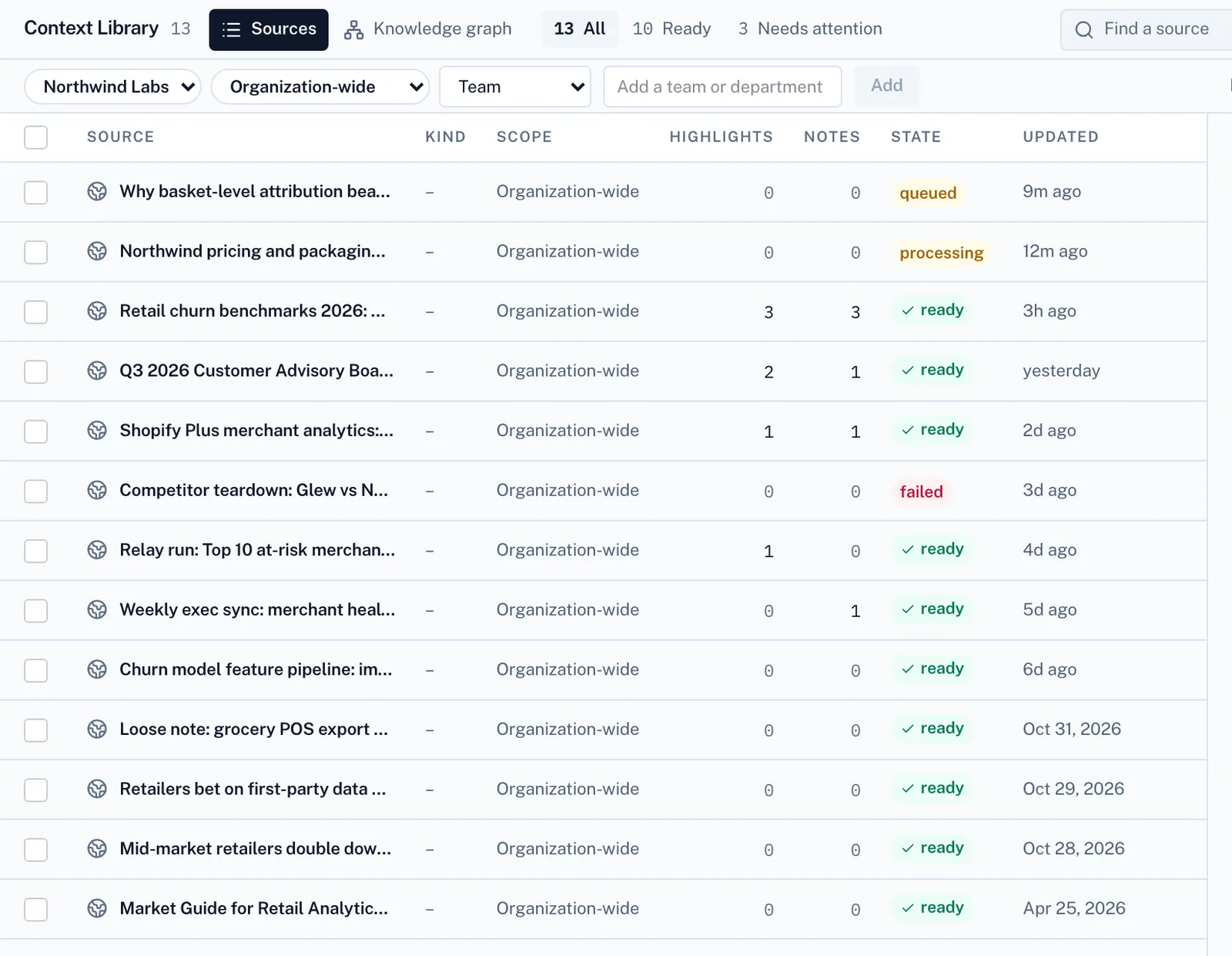
02
It works from your files and your team’s playbooks.
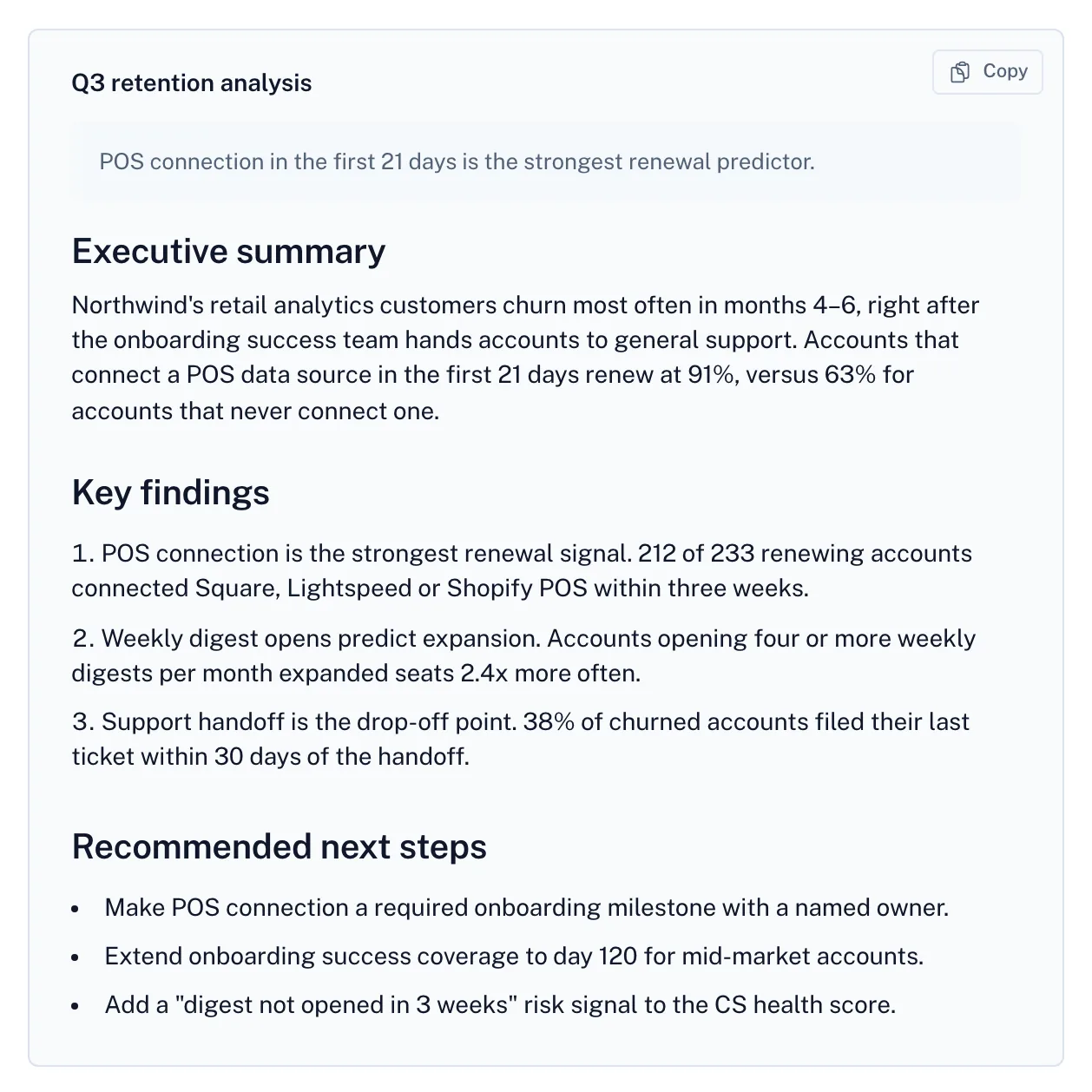
03
The result comes back with its sources, open questions and cost.
Screens from Relay with a fictional demo company.
A useful trial question
Try the same deliverable with the same inputs and reviewer in both products. Compare the result, the upkeep and the complete cost.
No. Each provider defines its own usage unit. Compare a complete job and the subscription, model, seat and platform costs that apply to it.
No. This compares public product and pricing information. Fit guidance is an editorial judgment, and your own representative trial is the useful next check.
No. Relay’s workspace subscription covers invited team members, with usage billed separately. See the pricing page for plan details.
Other comparisons
Shared agents, company knowledge, and credit-based usage.
Company knowledge, shared agents, and workspace administration.
Enterprise AI workforces, tools, and orchestration.
Vendor descriptions are based on their own public pages. Pricing, availability and plan terms can change. Product names belong to their owners.
Create a free account to send your request. Paid work uses credits.